
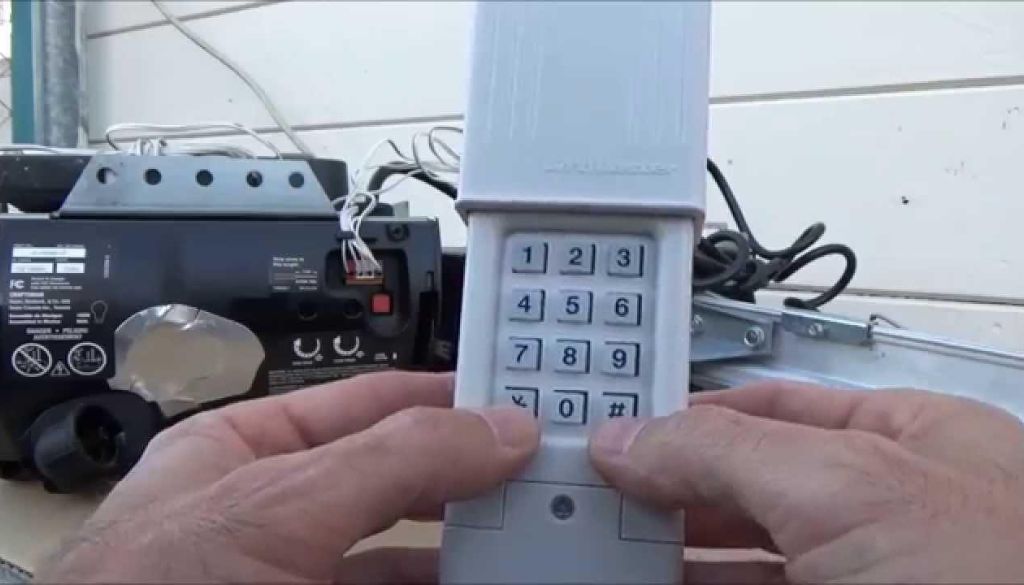
Whether you’ve just replaced a remote, moved into a new home, or need to deactivate a lost clicker, understanding garage door opener codes is the key to getting your system working again. This guide walks you through exactly what opener codes are, how to program or reset them, and how to keep your garage secure — in plain, straightforward language.
If you’re on the Sunshine Coast and run into trouble at any point, the team at Sunshine Coast Garage Door Guys is always happy to help. Call us on (07) 5451 8776 or contact us online for a free quote.
What Are Garage Door Opener Codes?
A garage door opener code is the radio signal your remote transmitter sends to the motor unit inside your garage. When you press the button on your remote, it broadcasts a specific code on a set frequency. The opener’s receiver unit listens for that code, and when it matches, the door opens or closes. If updating or troubleshooting your opener codes doesn’t resolve the issue, the next logical step is a full memory wipe and re-sync — our guide on how to reset your garage door opener explains exactly how to clear all stored codes and reprogram your remotes from scratch.
Think of it like a digital handshake. The remote and the opener need to be programmed to recognise each other before the door will respond. Without this pairing process, pressing your remote will do absolutely nothing.
There are two main types of code systems:
- Fixed code systems: Use a static, pre-set code. Less common in modern openers due to security vulnerabilities.
- Rolling code (hopping code) systems: Generate a new code with every use from a shared algorithm. Far more secure and the standard in most openers made after the mid-1990s.
What You Need Before Programming Garage Door Opener Codes
Before you start, gather a few things to make the process smooth:
- Your garage door opener remote or keypad
- A stable stepladder (you’ll need to access the motor unit on the ceiling)
- The opener’s brand and model number (check the label on the motor unit)
- Your owner’s manual, if available
Find Your Opener Model and Label
The model number is usually printed on a sticker on the side or back of the motor unit. Note down the brand — common Australian brands include Eco, Centurion, and Gliderol — as the programming steps can vary slightly between manufacturers.
Check Remote Compatibility
Your remote needs to match your opener. Options include brand-specific remotes (most reliable) and universal remotes (work across multiple brands but require careful frequency matching). If you’re unsure which remote is compatible with your system, contact Sunshine Coast Garage Door Guys and we’ll point you in the right direction.
Step-by-Step Guide to Programming Garage Door Opener Codes
The general process is the same across most modern openers, though button labels and LED colours may vary. Always check your manual for brand-specific instructions.
Step 1: Locate the “Learn” or Programming Button
On your motor unit, find the “Learn” or “Program” button. It’s usually near the antenna wire, either on the back panel or under a light cover. The button may also be labelled “Set” or identified by an LED indicator light next to it.
Step 2: Activate Learning Mode
Press and release the Learn button. An LED will light up, indicating the opener is now in programming mode. You typically have around 30 seconds to complete the next step before the mode times out.
Step 3: Sync Your Remote Control
While the LED is lit, press and hold the button on your remote that you want to use to operate the door. Hold it for 1–3 seconds until you see the opener’s LED blink or flash, which confirms the code has been received.
Step 4: Test the Remote
Stand within range of your opener and press the remote button. The door should open or close. If it doesn’t respond, repeat the process — sometimes you need to try once or twice for the signal to register correctly.
Resetting or Erasing Garage Door Opener Codes
Resetting your opener clears all stored remotes from its memory. You’d do this if:
- A remote is lost or stolen
- You’ve moved into a property and want to disable previous owners’ remotes
- You’re troubleshooting a pairing problem
To reset: press and hold the Learn button on the motor unit for around 6–10 seconds until the LED goes out. This wipes the memory entirely. You’ll then need to reprogram all remotes from scratch using the steps above.

Choosing a Replacement Remote
If your original remote is broken or lost, you have two main options. Here’s how they compare:
| Feature | Genuine Manufacturer Remote | Universal Remote |
|---|---|---|
| Compatibility | Works with specific brand only | Works across multiple brands |
| Programming difficulty | Simple — plug-and-play with same brand | Moderate — requires frequency matching |
| Reliability | Highest — designed for your unit | Good, with correct setup |
| Best for | Single-brand households | Multi-brand garages or quick replacements |
Genuine Manufacturer Remotes
These are made specifically for your opener brand and are the most reliable option. They pair easily and you can be confident of frequency compatibility straight out of the box.
Universal Garage Door Remotes
Universal remotes can work across a wide range of opener brands but require you to match the frequency manually. They’re a practical choice when an exact replacement isn’t available, or if you’re managing doors from different brands. If you’re unsure which option suits your setup, the team at Sunshine Coast Garage Door Guys services all major Australian opener brands and can advise on the right remote for your unit.
Understanding Garage Door Remote Frequencies and Security
Most residential garage door remotes operate on either 433 MHz or 315 MHz radio frequencies. The frequency is set by the manufacturer and doesn’t affect how you program the remote, but it does matter for compatibility when choosing a universal remote.
Modern openers use rolling code (hopping code) technology. Each time you press the remote, the system uses a shared algorithm to generate a new code for the next use. This means even if someone intercepts your signal, they can’t replay it to open your door — the code will already be expired.
This is a significant security upgrade over older fixed-code systems, which used the same signal every time and could be captured and replayed with basic radio equipment. If your opener is more than ten years old, it’s worth checking whether it uses rolling code technology. Our article on smart garage door openers covers modern opener security in more detail.

Troubleshooting Garage Door Opener Code Problems
If programming didn’t work first time, run through this checklist before calling for help:
Replace Remote Batteries
A weak battery is the most common reason a remote fails to pair or loses range. Replace with a fresh lithium coin battery — check your remote’s battery compartment for the correct type. Even a partially depleted battery can cause inconsistent signals during programming.
Check for Obstructions or Signal Problems
Metal shelving, thick concrete walls, and fluorescent lighting can all interfere with radio signals. Try programming the remote while standing closer to the motor unit. If you’re still experiencing range issues after a successful programming, a signal extender or antenna relocation may help.
Other Common Fixes
- Make sure you’re pressing the correct button on the remote during programming
- Check that the Learn button LED is still lit when you press the remote
- Confirm the remote frequency matches the opener’s receiver
- Try a full memory reset and reprogram from scratch
If you’ve worked through all of these and the remote still won’t program, it may be a fault with the receiver unit itself. Our guide on what to check when your garage door remote isn’t working covers some additional causes worth investigating before calling a technician.
Smart Garage Door Openers and App Integration
Modern smart openers take remote programming a step further. Instead of (or in addition to) a physical remote, you can control your garage door from your smartphone via a dedicated app and a Wi-Fi or Bluetooth module connected to the opener.
Benefits include real-time open/close notifications, remote access from anywhere, the ability to share temporary or recurring access with family members or tradespeople, and integration with smart home platforms like Google Home or Amazon Alexa.
Setup typically involves downloading the manufacturer’s app, connecting the module to your home Wi-Fi, and following the in-app pairing steps. The underlying code synchronisation still happens automatically in the background using rolling code technology. For a deeper look at Wi-Fi opener options, see our guide on choosing a garage door opener for your home.
Garage Door Remote Security Tips
Your opener codes are the first line of defence for your home. Follow these habits to keep your garage secure:
- Deactivate lost or stolen remotes immediately by doing a full memory reset on the motor unit
- Don’t leave spare remotes in your car — if your car is broken into, the thief also has garage access
- Change codes after moving into a new property
- Check batteries regularly so your remote doesn’t fail at an inconvenient time
- Consider upgrading to a smart opener if your current system is over ten years old and using fixed-code technology
As part of your regular upkeep, it’s worth including a remote check in your routine maintenance. Our garage door maintenance checklist for Sunshine Coast homeowners is a good reference to keep handy.
Common Garage Door Opener Code Systems by Brand
Programming steps and Learn button colours vary by manufacturer. Here’s a quick reference for common Australian brands:
| Brand | Learn Button Colour | Notes |
|---|---|---|
| Centurion | Yellow / Green | Press Learn, then hold remote button until LED blinks twice |
| Eco | Red / Orange | Press Learn once, press remote within 30 seconds |
| Gliderol | Purple / Blue | Press & release Learn, press remote 3 times |
| B&D (Chamberlain) | Yellow | Press Learn, single press remote button, wait for click or light flash |
| ATA (GDO6) | Green | Hold Learn for 2 seconds, press remote button once |
How Many Remotes Can Be Programmed to One Opener?
Most residential openers can store between 10 and 40 remote codes, depending on the model. This means you can have multiple remotes — one per car, one for a keypad, one spare — without any issue. Check your owner’s manual for the specific capacity of your unit. Once the memory is full, you’ll need to erase an existing remote before adding a new one, or do a full reset and reprogram everything. After any major repair like a spring replacement, it’s also a good idea to re-verify your remotes are all still synced — our guide on garage door spring maintenance has more on what to check after a repair.
Frequently Asked Questions
How do I reset my garage door opener code?
Press and hold the Learn button on your motor unit for 6–10 seconds until the LED goes out. This clears all programmed remotes. You’ll need to reprogram your remotes afterwards.
Why won’t my garage door remote program?
The most common causes are a flat battery, pressing the wrong button during pairing, the Learn mode timing out before you press the remote, or a frequency mismatch between the remote and opener. Try replacing the battery first and repeat the process from the beginning.
Can you program a universal garage door remote to any opener?
Most universal remotes are compatible with a wide range of openers, but not all. Check the packaging or product listing for a compatibility list that includes your opener brand and model.
How do I find my garage door opener frequency?
The frequency is usually printed on a sticker on the motor unit or listed in the owner’s manual. Common frequencies in Australia are 433 MHz and 315 MHz.
How many remotes can be connected to a garage door opener?
This varies by model, but most residential openers support between 10 and 40 remotes. Check your manual for the exact capacity.
Need Help With Your Garage Door Remote on the Sunshine Coast?
If you’ve worked through these steps and your remote still isn’t cooperating, it’s time to call in a professional. At Sunshine Coast Garage Door Guys, we service all major opener brands across the entire Sunshine Coast region — from Buderim and Sippy Downs to Noosa and beyond. Whether it’s a programming issue, a faulty receiver, or a full opener replacement, we do it once and we do it right.
Call us today on (07) 5451 8776 or request a free quote online.
