
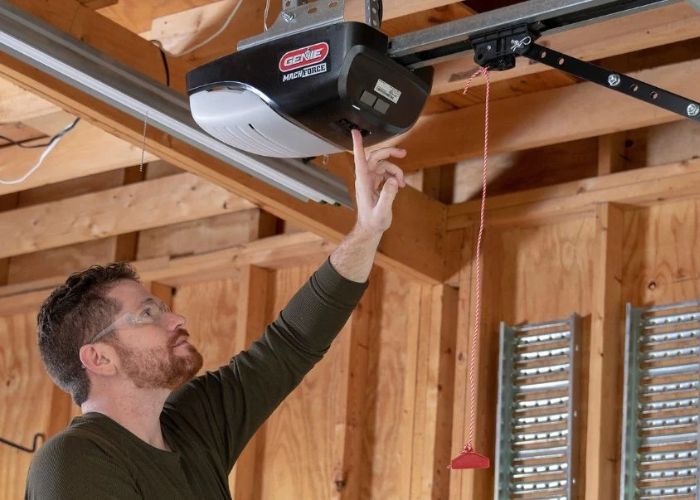
Whether your garage door opener has stopped responding, you’ve just moved into a new home, or you’re simply locked out of your own garage, knowing how resetting garage door openers work can save you time, money, and a whole lot of frustration. The good news is that most resets are straightforward — once you understand what’s actually happening inside that little box on your ceiling.
This guide walks you through the full process: diagnosing common faults, erasing old remotes, syncing new ones, and identifying when the job calls for a professional.
Why You Might Need to Reset Your Garage Door Opener
Before jumping straight to the reset button, it helps to understand why the reset is needed in the first place. There are three main scenarios:
Security reasons. If you’ve recently moved into a new home, lost a remote, or had a tenant vacate your property, resetting the opener clears all previously programmed transmitters from its memory. This means anyone with an old remote can no longer access your garage — an important step that’s easy to overlook.
A malfunction. Openers can behave erratically due to power surges, low remote batteries, sensor misalignment, or a minor software glitch. In many cases, a reset restores normal operation without any parts replacement.
Remote reprogramming. If you’ve bought a new remote or keypad, you’ll need to go through the sync process, which often starts with a full memory clear.
Understanding How Garage Door Openers Actually Work
To reset one correctly, it helps to understand the technology involved — and this varies depending on the age of your unit.
Older openers (pre-2000s) used DIP switches — a row of tiny physical toggles inside both the opener unit and the remote. To sync them, both sets of switches had to be set in the exact same pattern. Resetting these means manually repositioning the switches.
Newer openers use rolling code technology and a “Learn” button (sometimes labelled “Program” or “Smart”). Each time a remote is used, the code changes — making it far more secure than the old DIP switch method. These units store remote identities in a memory bank, and resetting that memory is as simple as holding the Learn button until the indicator LED goes out.
Most modern Australian brands — including Merlin, Centurion, Gliderol, and Eco — use the Learn button system, though exact steps vary between models. Always check your manual if you’re unsure which generation your unit belongs to. Before you reset anything, it is worth running through 8 things to check when your garage door remote is not working, because a flat battery or lost pairing is often the real culprit.
Step-by-Step: How to Reset Your Garage Door Opener
Work through these steps in order. Many faults are resolved before you even reach the memory reset stage.
Step 1 — Check Power and Connections
Start at the power source. Make sure the opener is plugged in, check your circuit breaker for a tripped switch, and inspect the fuse if your unit uses one. No power means no response — and no amount of button-pressing will fix that.
Step 2 — Replace Remote Batteries
Flat batteries are the most common cause of a “dead” remote. Swap them out with fresh ones and test again. If the wall-mounted button still operates the door but the remote doesn’t, the battery is almost certainly the culprit.
Step 3 — Clean and Align the Photo Eye Sensors
Your opener has two small sensors positioned near the base of the door tracks — one on each side. These beam a signal across the opening; if anything interrupts it (dust, spider webs, a slight knock), the opener may refuse to close.
Wipe both sensor lenses with a clean cloth and check that they’re aimed directly at each other. The indicator light should glow steadily — a blinking light almost always signals misalignment.
Step 4 — Inspect and Lubricate Tracks and Rollers
Debris in the track or dry, worn rollers can cause the opener motor to struggle or stop. Clear any visible obstructions and apply a silicone-based lubricant to the rollers, hinges, and pulleys. Avoid WD-40 — it strips existing lubrication rather than adding it.
Step 5 — Check Springs and Cables Visually
Look but don’t touch. Garage door springs operate under extreme tension and are genuinely dangerous to handle without specialist tools and training. If you notice a broken spring, frayed cable, or visible wear, stop here and call a professional. This is not a DIY repair.
Step 6 — Disengage the Lock Feature
Many wall control panels have a lock button that disables all remote transmitters as a security measure. If the lock indicator light is on, press and hold it to disengage. This is a surprisingly common oversight — and an easy fix.
Step 7 — Reset Remote Memory (Erase All Paired Transmitters)
Once you’ve ruled out mechanical and electrical faults, you’re ready for the memory reset:
- Locate the Learn button on your opener motor unit — usually found on the rear or side panel, sometimes behind a light cover.
- Hold the Learn button for approximately 6–10 seconds until the LED indicator light goes out. This signals that all previously programmed remotes have been erased.
- Release the button.
Your opener’s memory is now clear.
Step 8 — Sync Your Remote/s
To add a remote back into memory:
- Press the Learn button once — the LED will illuminate.
- Within 30 seconds, press and hold the button on your remote until the opener light flashes or you hear two clicks. This confirms pairing.
- Repeat for each additional remote or keypad.
Test the door before closing up.

Older vs. Newer Opener Reset Methods at a Glance
| Feature | Older (DIP Switch) Openers | Newer (Rolling Code) Openers |
|---|---|---|
| Reset method | Reposition physical DIP switches | Hold Learn button until LED turns off |
| Security level | Low (fixed code) | High (code changes with every use) |
| Remote syncing | Match switch patterns | Press Learn, then press remote button |
| DIY difficulty | Moderate | Easy |
Preventative Maintenance: Keep Your Opener Running Smoothly
A reset solves the immediate problem — but regular maintenance prevents most faults from developing in the first place.
- Every 3 months: Wipe down tracks and photo eye lenses; lubricate rollers, hinges, and pulleys.
- Every 6 months: Test the auto-reverse safety function by placing a solid object (like a piece of timber) in the door’s path. The door should reverse on contact.
- Annually: Have a qualified technician inspect springs, cables, and the opener mechanism for wear.
A well-maintained opener typically lasts 10–15 years. Neglected ones fail much sooner — and often at the worst possible time. Some models blink during programming, so it is worth understanding what a flashing garage door opener light means before you assume a reset is needed.

When to Skip the DIY and Call a Professional
The reset process is designed to be homeowner-friendly — but there are clear situations where calling a technician is the smarter move:
- Broken or visibly worn springs or cables
- Grinding, scraping, or unusual noises during operation
- The door moves unevenly or drops to one side
- Repeated faults after a successful reset
- Any wiring that looks damaged or burnt
Attempting spring repairs without proper training is one of the leading causes of serious garage door injuries. If in doubt, don’t.
Frequently Asked Questions
Why won’t my garage door respond to any remote?
Start with batteries, then check the wall button. If the wall button works but remotes don’t, the remotes may have lost their pairing — follow the sync steps above. If nothing responds, check your power supply.
How do I know if my remote battery is dead?
If pressing the remote produces no light on the remote itself (most have an indicator LED), the battery is flat. Swap it and test.
What do the photo eye sensors actually do?
They create an invisible safety beam across the door opening. If the beam is broken while the door is closing, the opener reverses automatically — a critical safety feature required on all modern units.
How often should I lubricate my garage door?
Every three months is a good rule of thumb, or more frequently if the door is used heavily or exposed to salt air (common on the Sunshine Coast).
Is it safe to repair garage door springs myself?
No. Springs store enormous mechanical energy and can cause serious injury if mishandled. Always engage a licensed technician for spring-related work.
Need a Hand With Your Garage Door Opener?
If you’ve worked through these steps and your opener still isn’t behaving, it’s time to bring in a local expert. The team at Sunshine Coast Garage Door Guys services openers, remotes, sensors, springs, and everything in between — across the entire Sunshine Coast region.
Call (07) 5451 8776 or get in touch via sunshinecoastgaragedoorrepairs.com.au for a free quote. Same-day service is available for urgent faults. Do it once, do it right.
